Home › GTA 4 Fusion Fix
Guide updated: November 21, 2026
GTA 4 Fusion Fix: repair the GTA IV PC port, once and for all
The PC port of GTA IV shipped broken in ways the official patches never fixed: textures z-fighting everywhere, a Definition option that enabled effects when it said off, anti-aliasing leftovers blurring the whole picture, and bloom, depth of field and motion blur that only looked right at 720p. GTA 4 Fusion Fix is our answer — one drop-in pack, free and open source, that repairs all of it and hands you a proper toggle for each effect.
Download
Download Fusion Fix for GTA IV 5.1.2
Install in a minute
- Download the pack and extract it anywhere.
- Run the offline installer inside and point it at your GTA IV Complete Edition install. Unsigned, so SmartScreen may warn — More info → Run anyway.
- Start the game. The effect toggles — depth of field, motion blur, bloom — are in the mod's own settings; nothing else to configure.
What it fixes, item by item
| Bug in the port | Our fix |
|---|---|
| Z-fighting on roads and walls | Eliminated, using the better console approach to the depth buffer |
| Definition option enables effects when OFF | Removed the broken anti-aliasing code; blur applies only where it should |
| Bloom correct only at 720p | Rewritten: scales with resolution, plus its own toggle |
| Depth of field correct only at 720p | New bokeh implementation rated to 4K, with strength control |
| Motion blur fades at high frame rates | Constant strength at any FPS, with its own toggle |
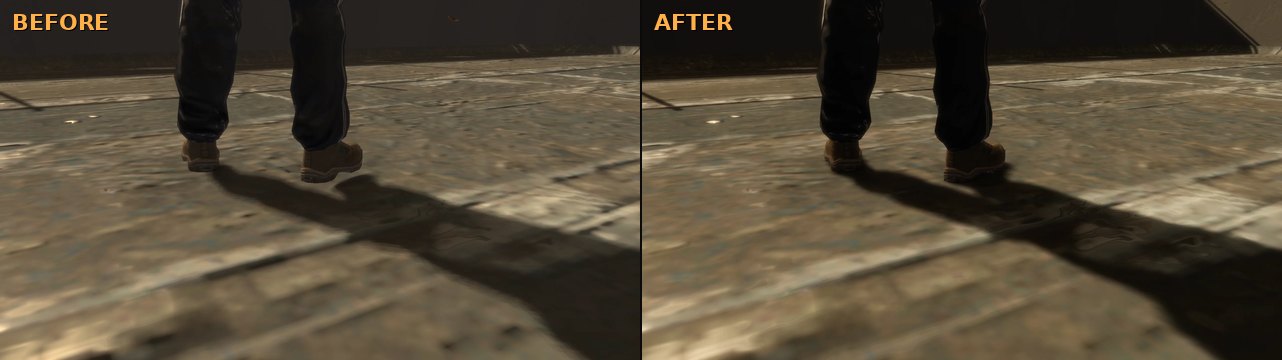
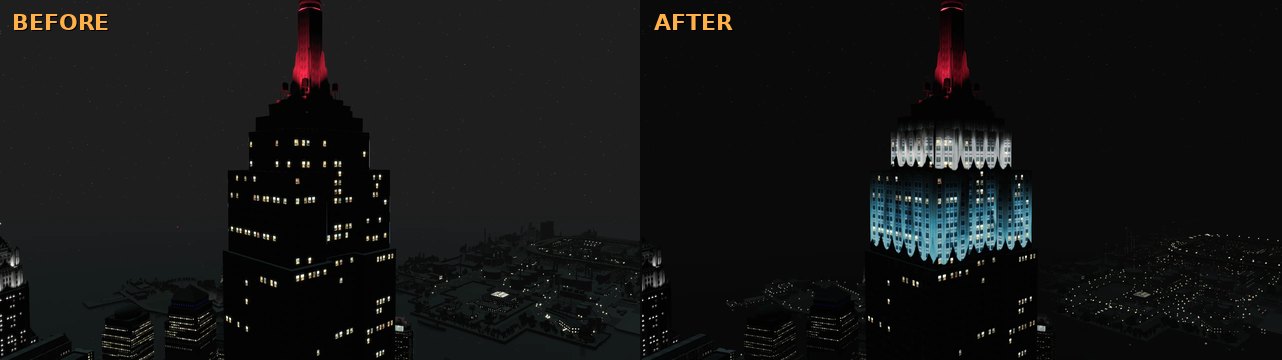
| Shadows and neon lights broken | Fixed, along with the seasonal events |
Before and after
FAQ
- What does GTA 4 Fusion Fix do?
- It repairs the GTA IV PC port where the official patches stopped: z-fighting, the backwards Definition option, broken anti-aliasing code, bloom and depth of field locked to 720p scaling, motion blur that faded at high frame rates, shadows and neon lights — and it adds an independent toggle for each of those effects.
- How do I install GTA 4 Fusion Fix?
- Download the pack, extract it, and run the offline installer — it points itself at your GTA IV Complete Edition install. It is unsigned, so if SmartScreen warns, choose More info → Run anyway.
- Does it work with the Complete Edition and the old retail releases?
- The pack targets GTA IV: The Complete Edition. For the older split releases there is a legacy addon on the same releases page.
- Is GTA 4 Fusion Fix free?
- Yes — free and open source under GPL-3.0, and we publish the source code on GitHub.
- Can I turn off motion blur or depth of field?
- Yes. Fusion Fix unties them from the Definition option: each effect — depth of field, motion blur, bloom — gets its own on/off and strength control in the mod's settings.
Only trust this page. Repacked mod downloads float around forums and file sharing sites. The real build matches what we publish on GitHub. Not affiliated with Rockstar Games.